
Furigana camera and kanji scanner for iPhone
Read the kanji on Japanese signs and menus.
Take a photo of a sign, a menu or a screenshot. Furigana Reader keeps the Japanese on the photo and shows how to say each word, with furigana, romaji and the English meaning. It reads on your phone in about a second, private and offline.
Free to start: 3 scans a day.
iPhone, iPad and Mac with Apple silicon.
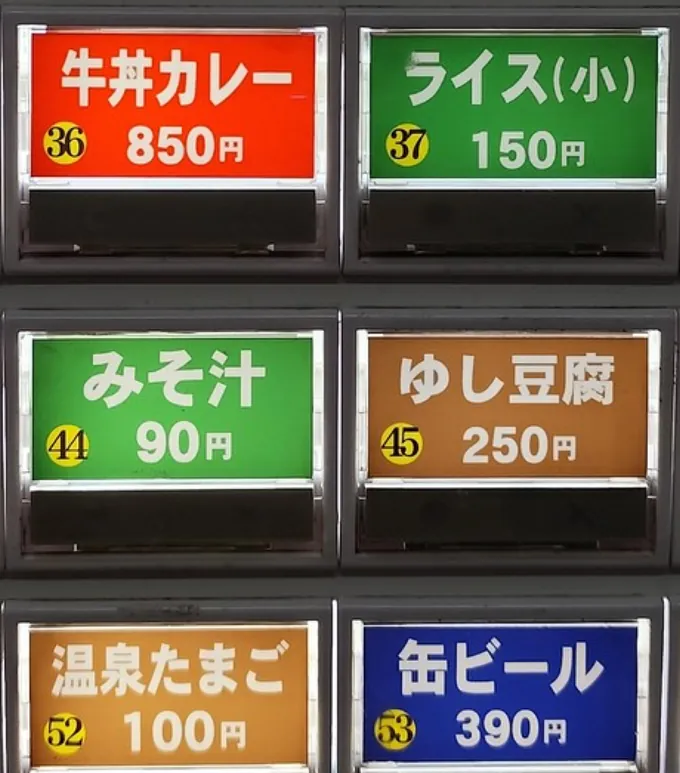
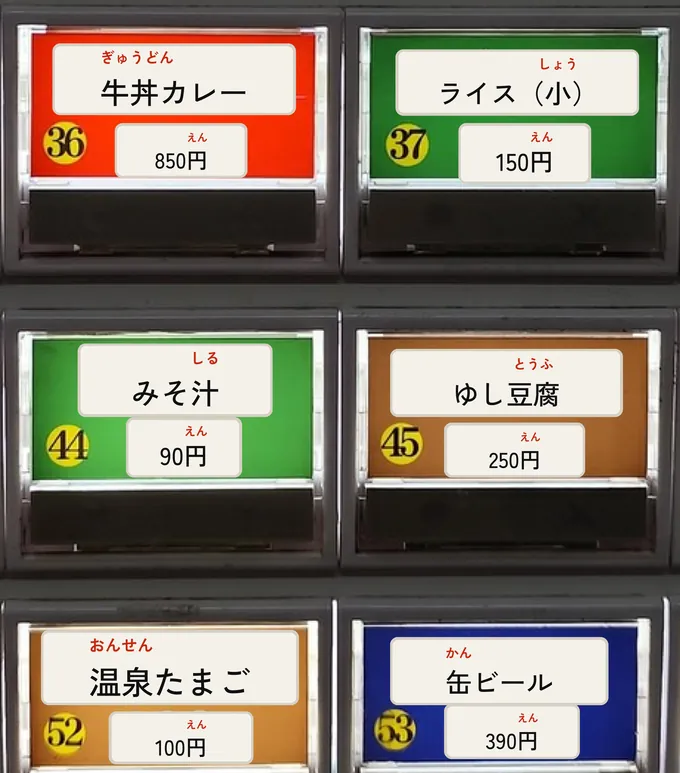
What it does
From photo to words you know
写真から単語へA Japanese text scanner and kanji reader for anyone who cannot read kanji yet: learning Japanese, or living in or visiting Japan.
- 01
Scan スキャン
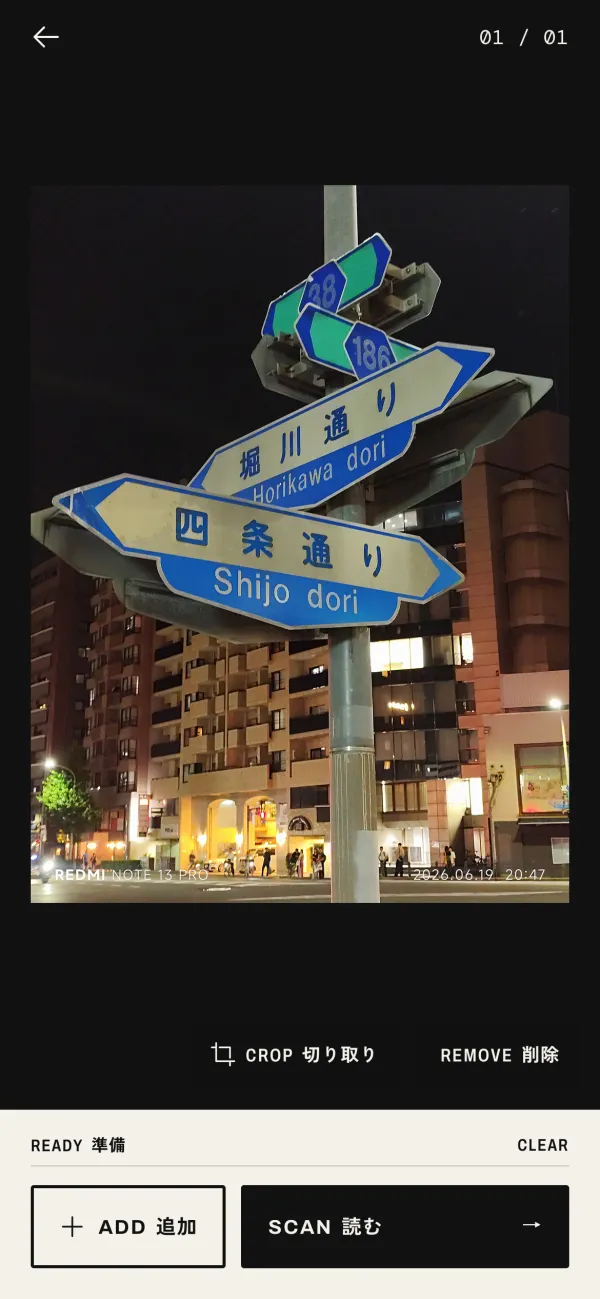
Scan any Japanese you see.
Use it as a kanji camera: point it at a sign or a menu, or pick photos and screenshots. Crop and rotate a photo first if you need to, and read up to 3 photos at once (10 on Pro). Scans are read on your phone, so they are fast, private and work offline.
- 02
Read 読む
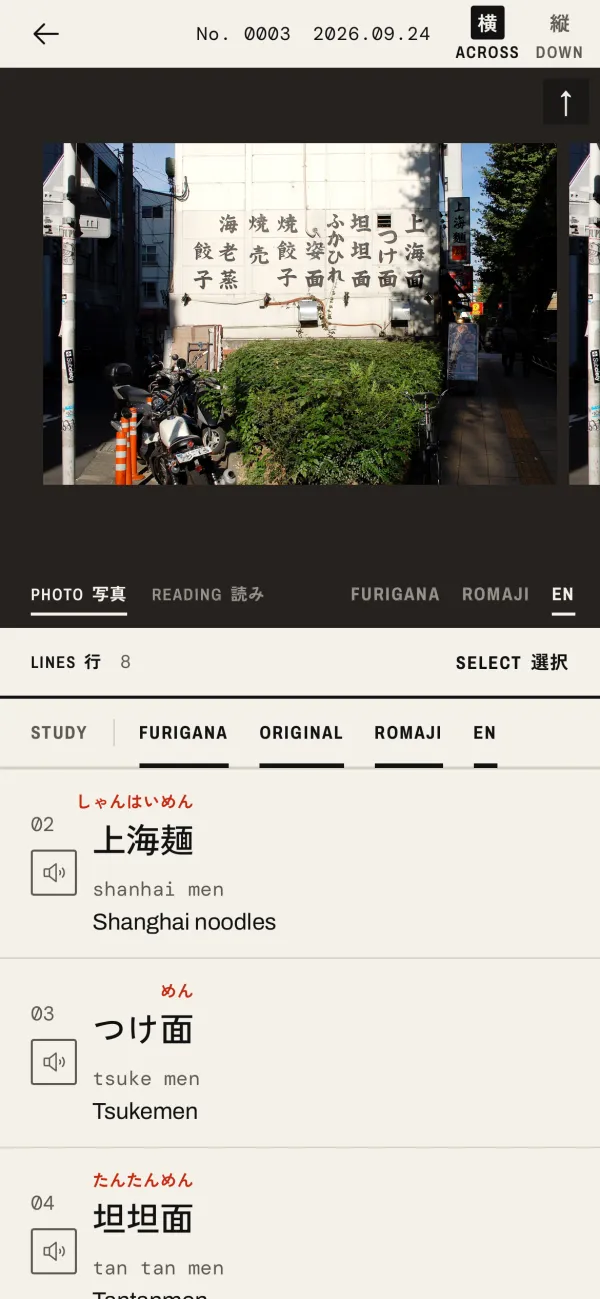
Every line, read for you.
Each line gets furigana over its kanji, romaji, and the English meaning of every word. Tap the speaker to hear a line read aloud, with a choice of voice and speed. STUDY hides the readings until you tap a line.
- 03
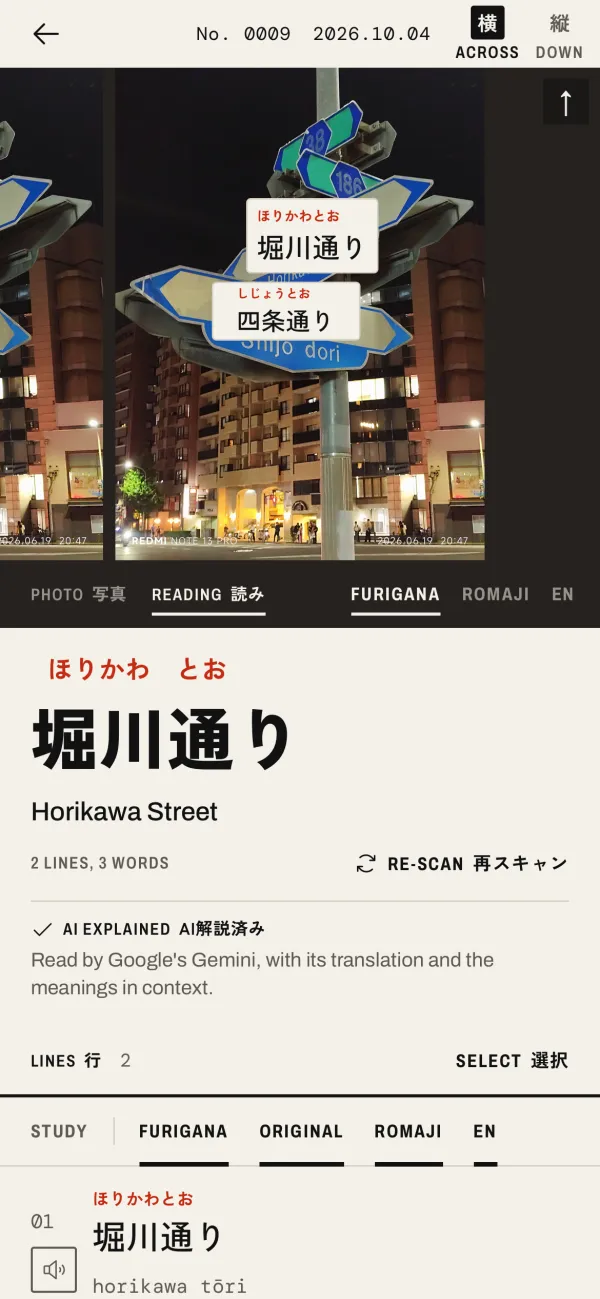
READING 読み
Read it on the photo.
Swipe the photo to READING: furigana, romaji or English laid on the photo itself, next to each line. Tap a line on the photo to jump to it in the text.
- 04
Word 単語
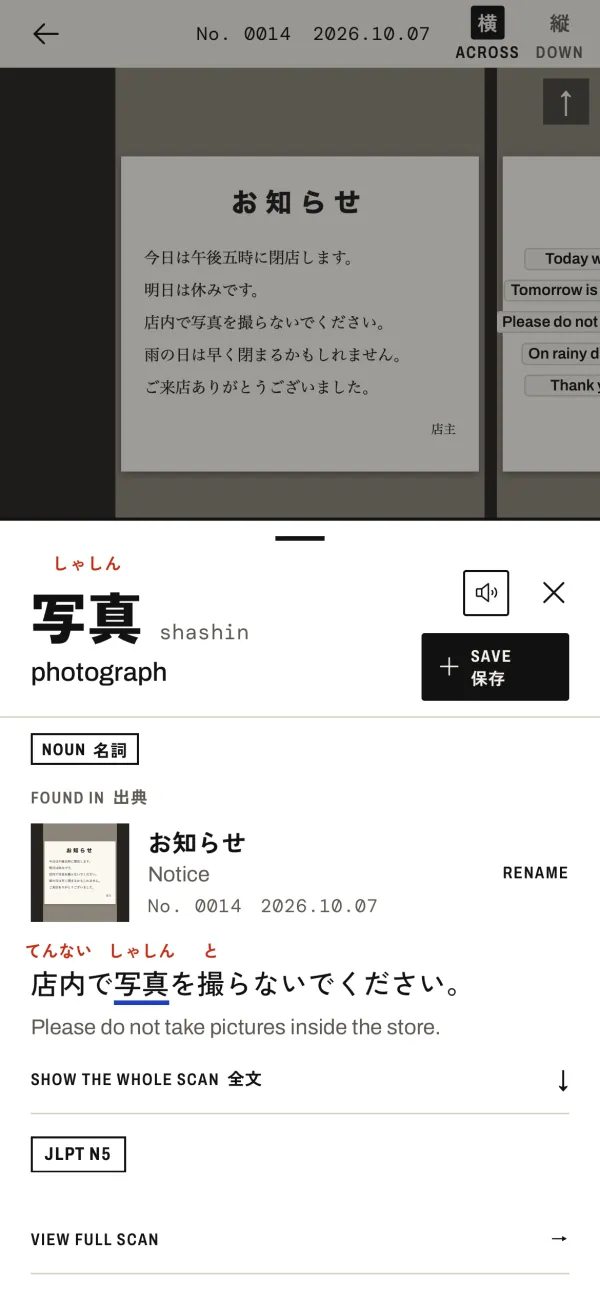
Tap any word.
See its reading, romaji, meaning, part of speech and JLPT level, and the sentence you found it in. Save it with one tap, to the folder you choose.
- 05
Review 復習
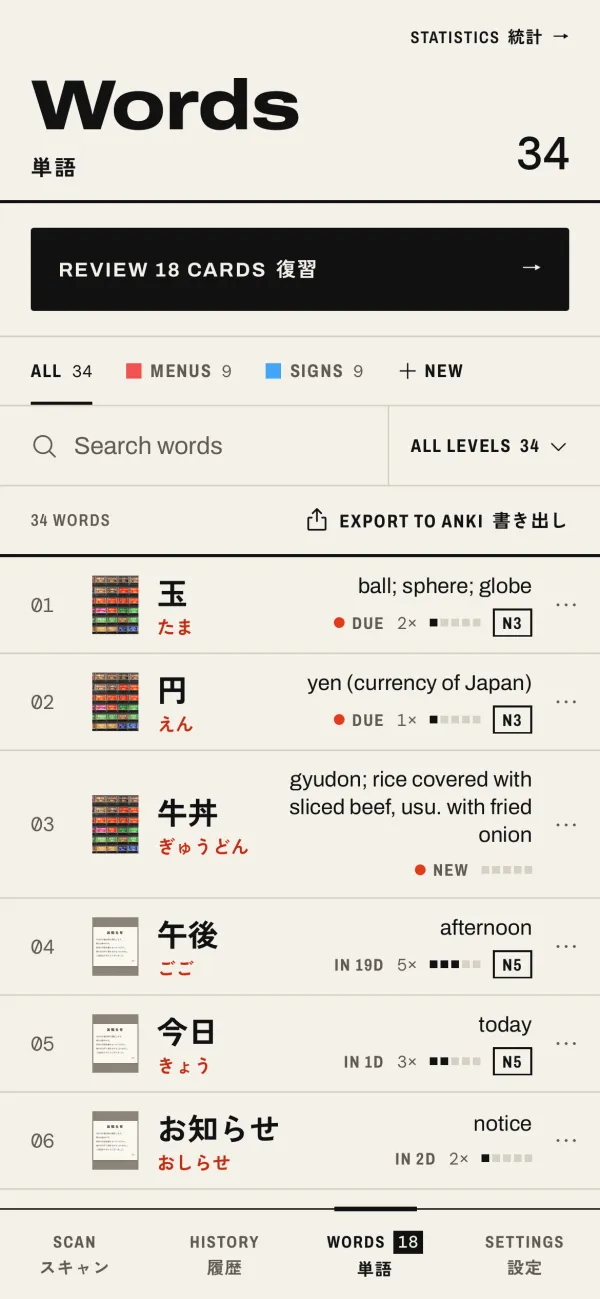
Save words. Review them.
Saved words go to Words, in folders. Review them with flashcards a few minutes a day, filter them by JLPT level, and export them to Anki with their pictures.
- 06
AI Explain AI解説
AI Explain, for the whole sentence.
On Plus and Pro, AI Explain gives a natural translation, the meaning of each word in its sentence, and grammar notes. Only the photo you choose to explain is sent, to Google's Gemini. AI Explain is not available in the EEA, the UK and Switzerland.
Word by word
駅はどこですか。
station / where / is
AI Explain AI解説
"Where is the station?"
- 07
History 履歴
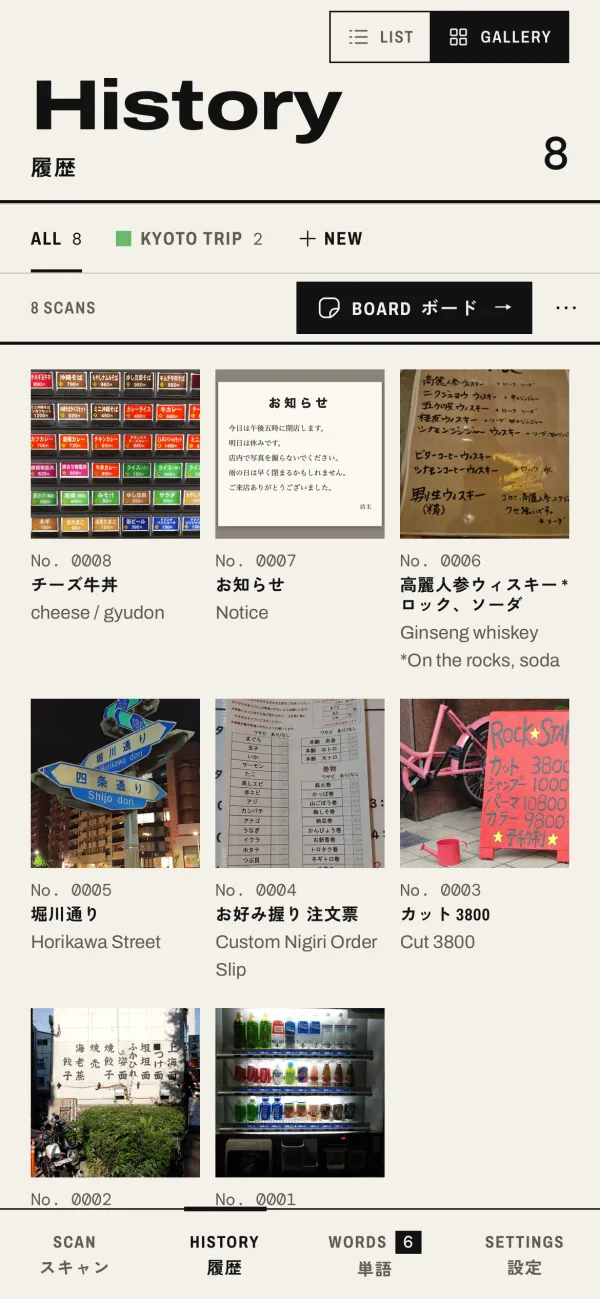
Your scans, as a gallery.
Every scan is kept with its photo. Browse History as a gallery, sort scans into folders, and delete the lines you don't need from a scan.
- 08
Board ボード
Make a page of your trip.
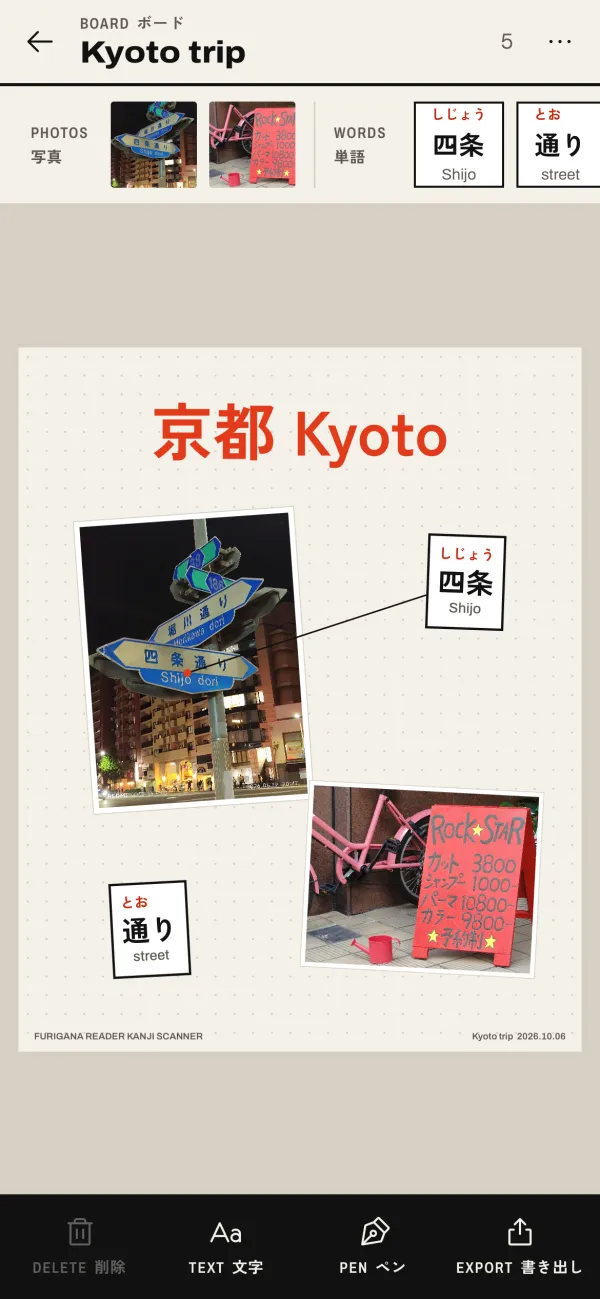
Boards lay out your photos, as they are or cut out as stickers, with word labels pointing at the words. Add your own text and drawings, and share the page as a picture.
- Light and dark, to match your phone.
- English next to Japanese everywhere in the app.
- Your words, scans and folders from version 1 come with you.
Plans
Start free
プラン (plans)Every plan has furigana, romaji and meanings, READING on the photo, read aloud, flashcards and Anki export.
Free
$0
- 3 scans a day
- +3 per short ad, up to 18 a day
- No AI Explain
- Banner ads
Plus
$3.99 a month
- 50 scans a day
- 15 AI Explains a day
- No ads
Pro
$9.99 a month
- Unlimited scans
- 50 AI Explains a day
- 10 photos at once
- Cloud sync
- No ads
Prices are in US dollars. The App Store shows the price in your currency.
Plus and Pro renew every month until you cancel. Cancel any time in your App Store account settings.
AI Explain is not available in the EEA, the UK and Switzerland.
Guides
Reading Japanese, step by step
読み方ガイド (reading guides)Short guides for beginners: signs, menus, furigana, and how to keep the words you learn.
- 01 How to read Japanese signs and menus when you can't read kanji Station signs, shop signs and menus, step by step, with the words you will see most.
- 02 What is furigana, and how to get it on any Japanese text (photo or screenshot) The small kana over kanji, why it helps, and how to add it to a photo or a screenshot.
- 03 Furigana Reader vs Google Lens and Google Translate for Japanese: which to use when An honest comparison: when a translation app is better, and when you want the readings.
- 04 Learn the words you meet in Japan: save, review with flashcards, export to Anki Turn the signs and menus you photograph into flashcards, by JLPT level, and take them to Anki.
- 05 FAQ: privacy, offline, plans, devices and more Short answers about the app: what is sent, what works offline, what each plan gives, and how to cancel.
Download ダウンロード
Read the next sign you see.
Free to start, with 3 scans a day and 3 more for each short ad. For iPhone, iPad and Mac with Apple silicon.
Download on the App Store